Introduction
Welcome back to Dark Horse Virtue’s WordPress tutorial series. We’ve explored the Dashboard, Posts, Media, Pages, Comments, Appearance, Plugins, Users, and Tools tabs. Now, it’s time to delve into the Settings Tab—the control center for your website’s global settings.
Understanding the WordPress Settings Tab
The Settings Tab is where you can adjust the global settings that affect your entire website. It’s where you set your site’s title, format your URLs, manage your reading and discussion settings, and more.
General
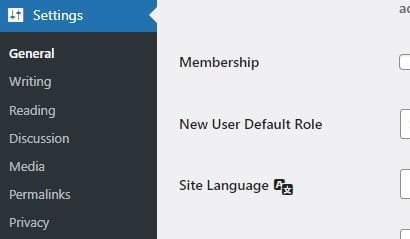
The ‘General’ section is where you set your site’s title, tagline, WordPress address (URL), email address, time zone, date format, and language.

Writing
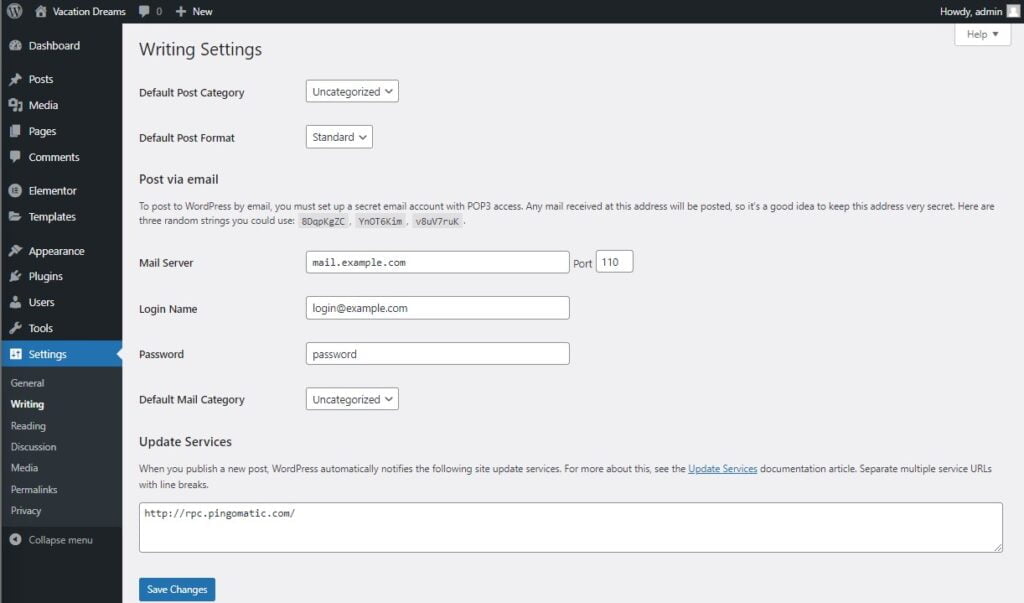
The ‘Writing’ section controls the settings related to creating new posts. This includes default post category, post format, and settings related to posting via email.
Reading
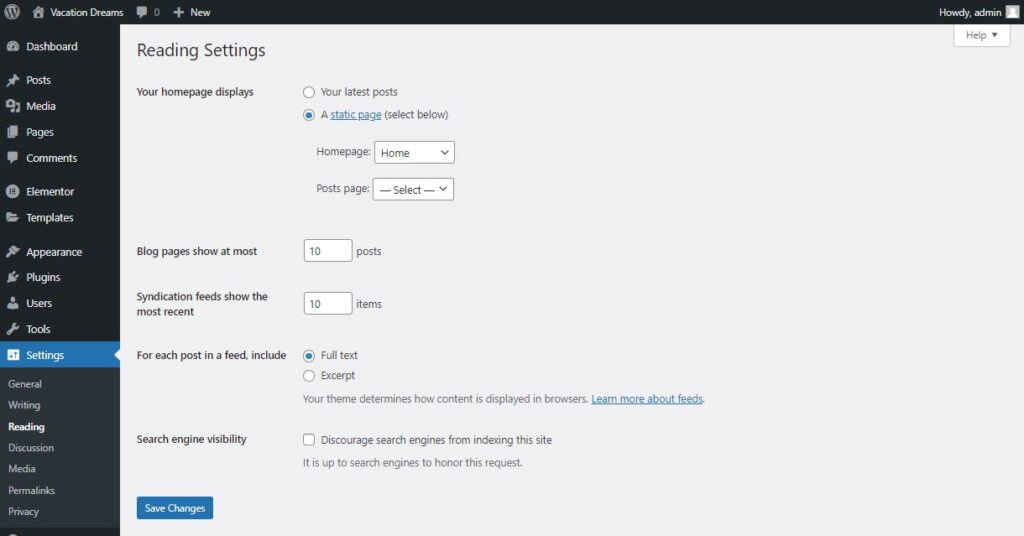
The ‘Reading’ section is where you can set what your homepage displays (your latest posts or a static page), how many posts are displayed per page, and whether search engines should discourage from indexing your site.
Discussion
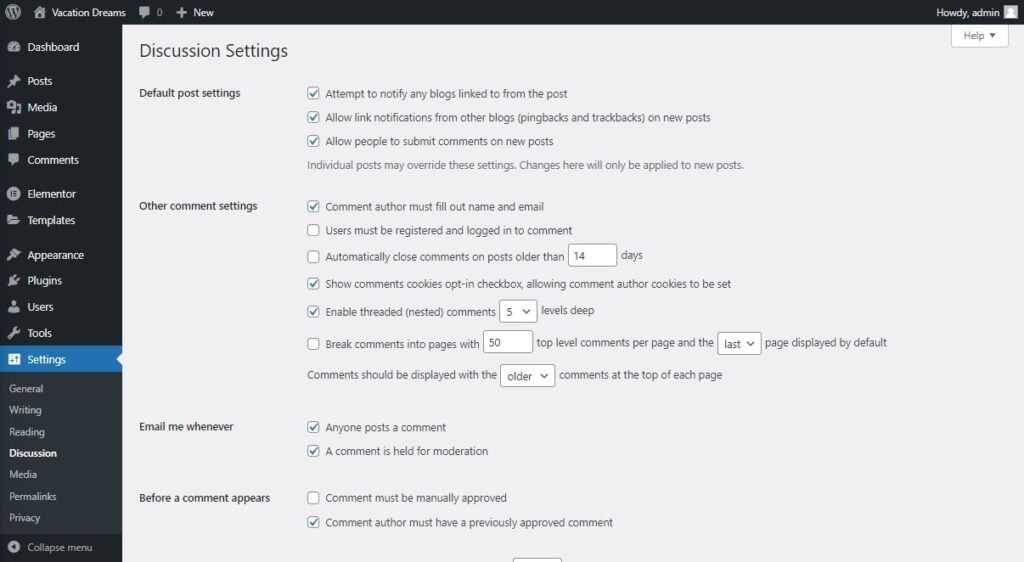
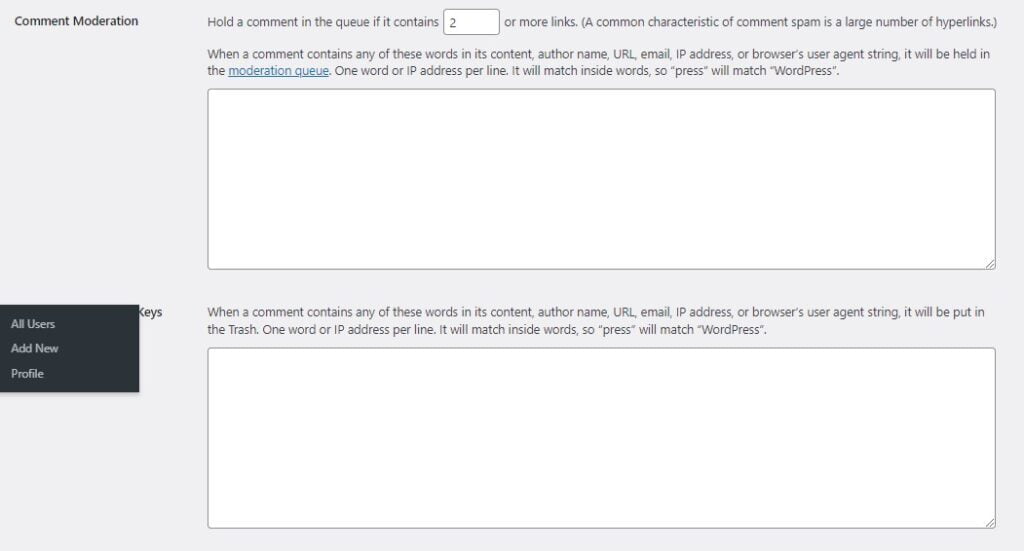
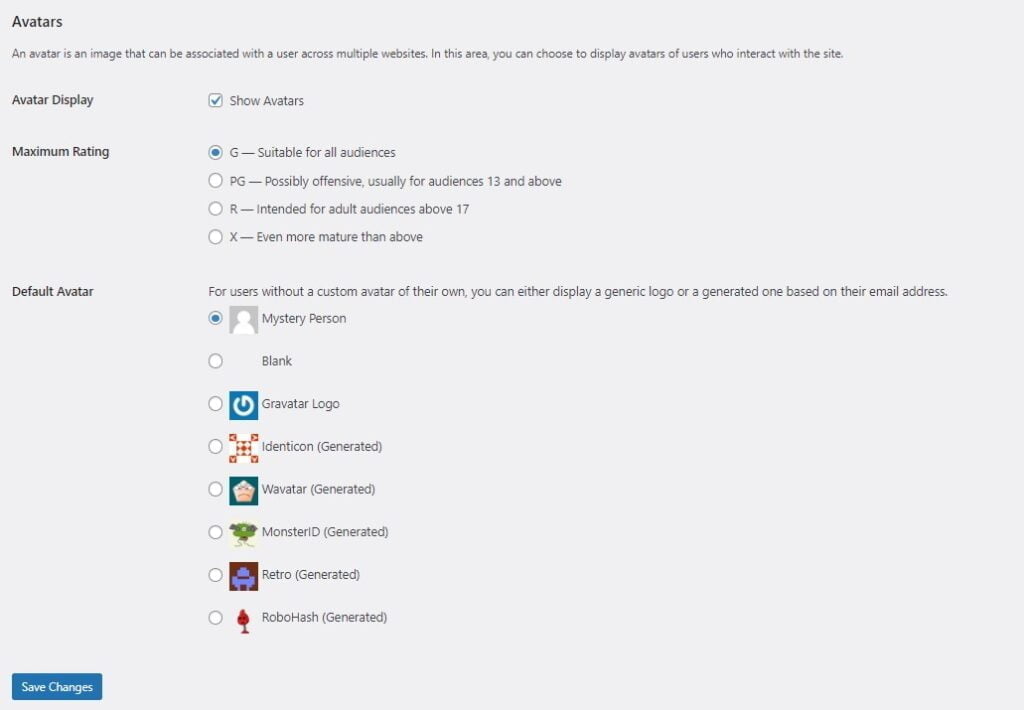
The ‘Discussion’ section is where you manage settings related to comments and trackbacks/pingbacks. You can decide whether users can post comments, what requirements must be met to post a comment, and how comments are moderated.
Media
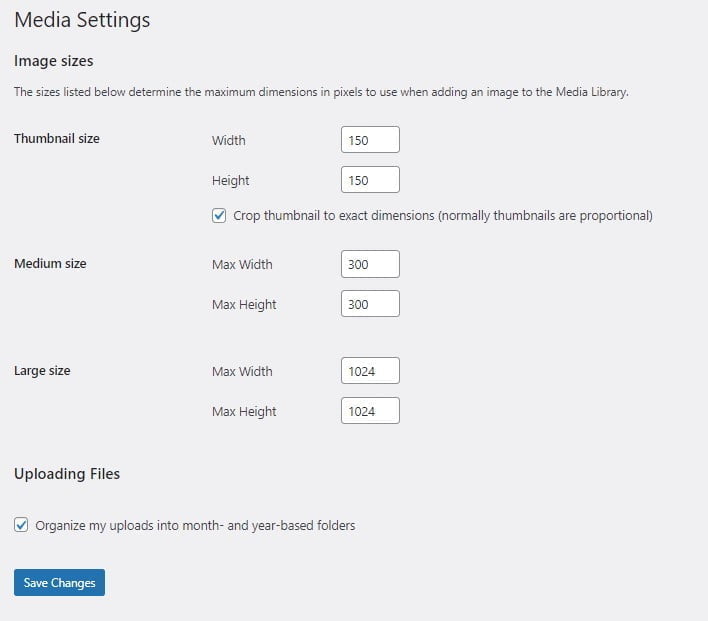
The ‘Media’ section is where you set default sizes for images you upload and whether files should be organized into month- and year-based folders.
Permalinks
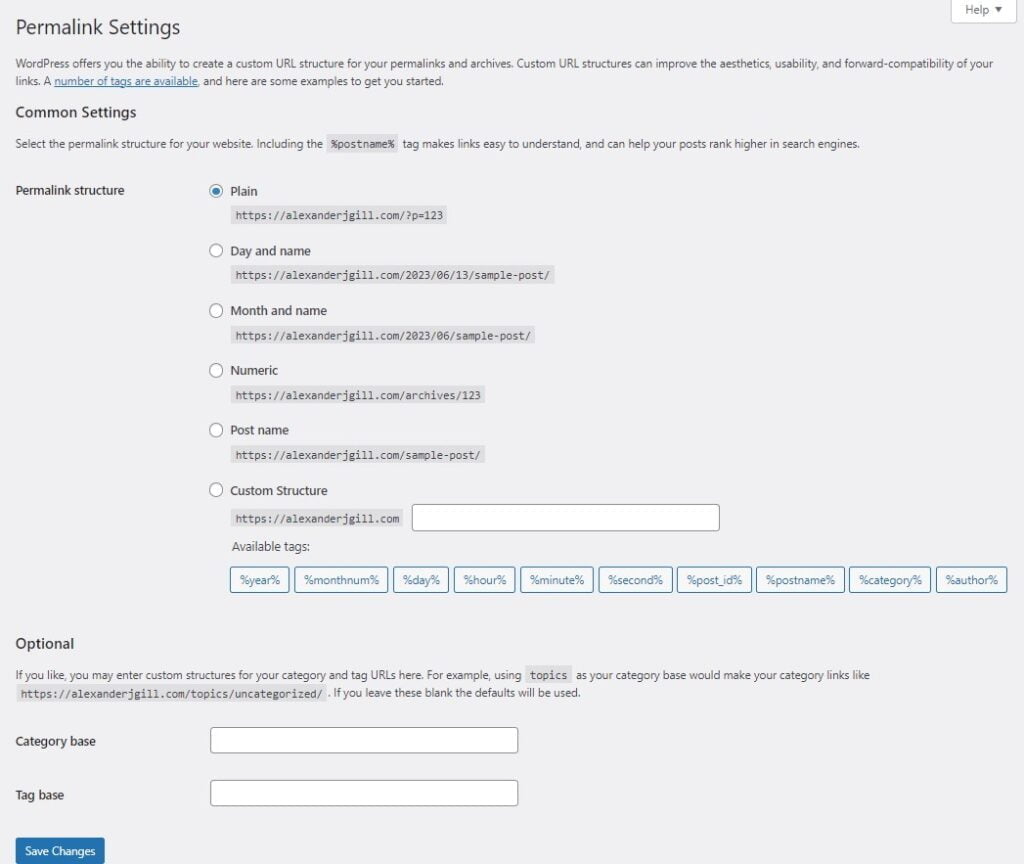
The ‘Permalinks’ section is where you can set the URL structure for your site. This is important for SEO, as it determines how your URLs will appear to visitors and search engines.
Privacy
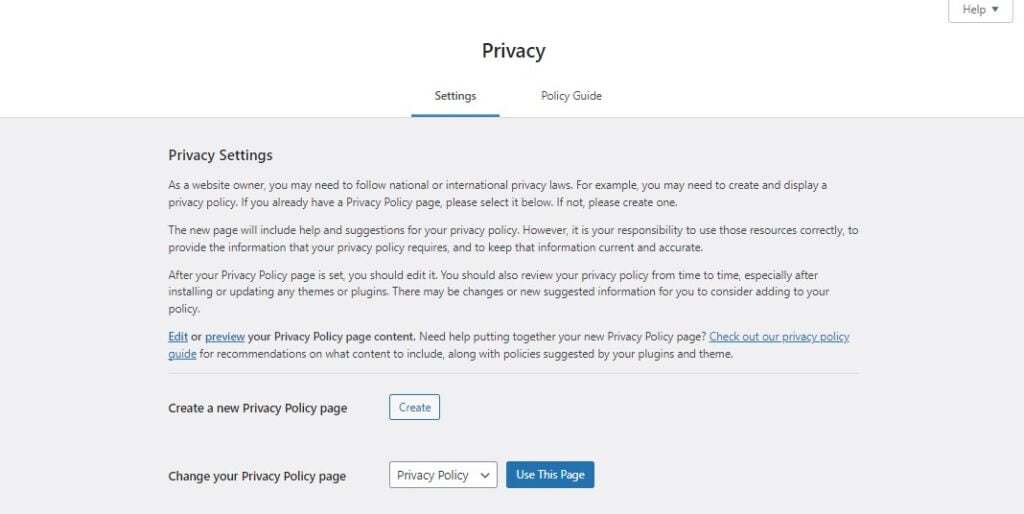
The ‘Privacy’ section is where you select the page to be used as your site’s privacy policy.
Conclusion
The WordPress Settings Tab is your command center for your website’s global settings. By understanding and correctly configuring these settings, you can tailor your website to perfectly fit your needs. With Dark Horse Virtue’s guidance, you’re becoming a master of WordPress customization. Stay tuned for more guides as we continue our exploration of WordPress!