Introduction
Welcome back to Dark Horse Virtue, your trusted guide in the vast WordPress universe. We’ve explored the Dashboard Tab in our previous guide, and now it’s time to delve into the heart of your website’s content—the Posts Tab. This is where you will craft and manage your blog posts, the narratives of your digital journey.
Understanding the WordPress Posts Tab
The Posts Tab is your content creation hub in WordPress. It provides you with the tools to add new posts, edit existing ones, and organize your content with categories and tags.
All Posts
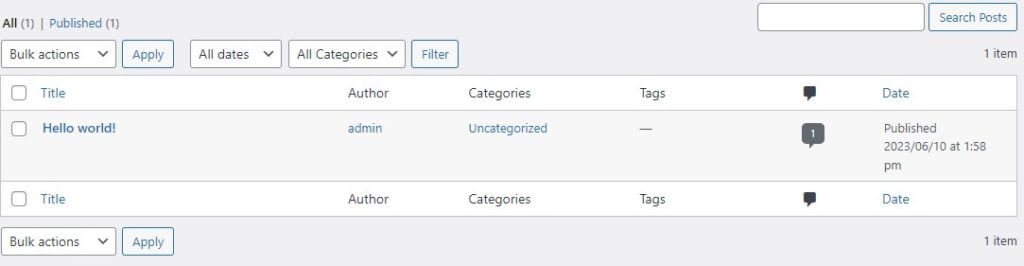
The ‘All Posts’ section provides a list of all your blog posts. You can sort these posts by title, author, categories, tags, or date. This section also allows you to perform bulk actions such as editing or moving posts to the trash.
Quick Edit and Edit
By hovering over a post title, you’ll see a few action links appear. Among these are ‘Quick Edit’ and ‘Edit.’ ‘Quick Edit’ allows you to make basic changes to a post’s title, slug, date, or status without opening the full post editor. ‘Edit,’ on the other hand, opens the full post editor, where you can make more comprehensive changes.

Add New
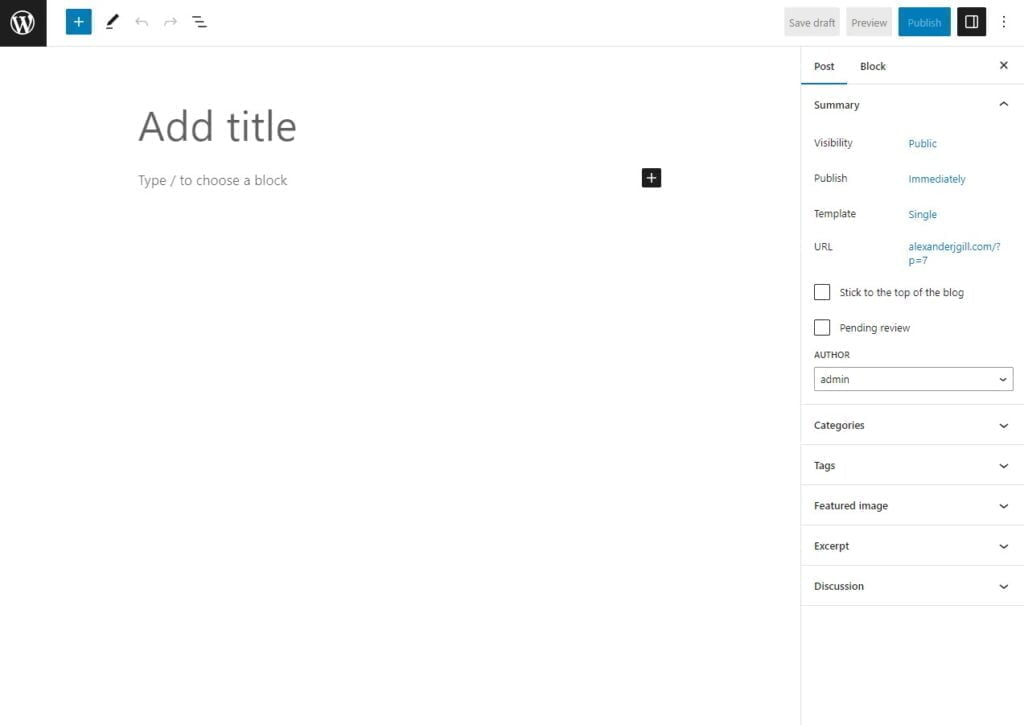
The ‘Add New’ section is where you’ll create your new blog posts. It opens the WordPress editor, allowing you to add and format your post’s content, set featured images, select or create categories and tags, and more.

The Editor
The WordPress editor is a powerful tool for creating engaging content. It uses blocks to allow you to add and format text, images, videos, and more. The block editor also includes features like reusable blocks and block patterns to streamline your content creation process.
Categories
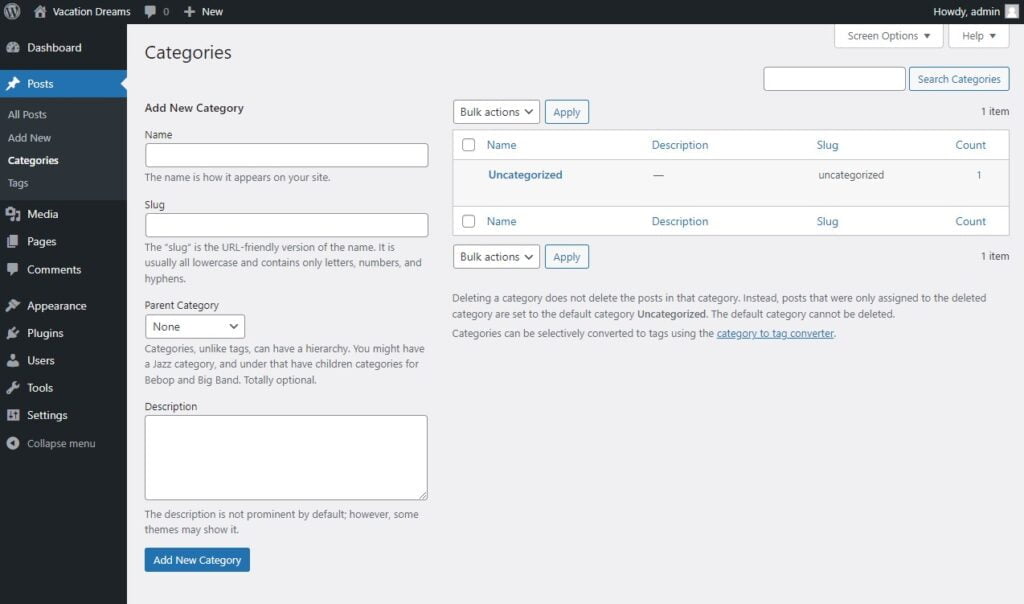
The ‘Categories’ section allows you to create, edit, and delete categories. Categories are broad groupings for your posts. They help visitors understand the general topics you write about and allow them to find related posts.
Tags
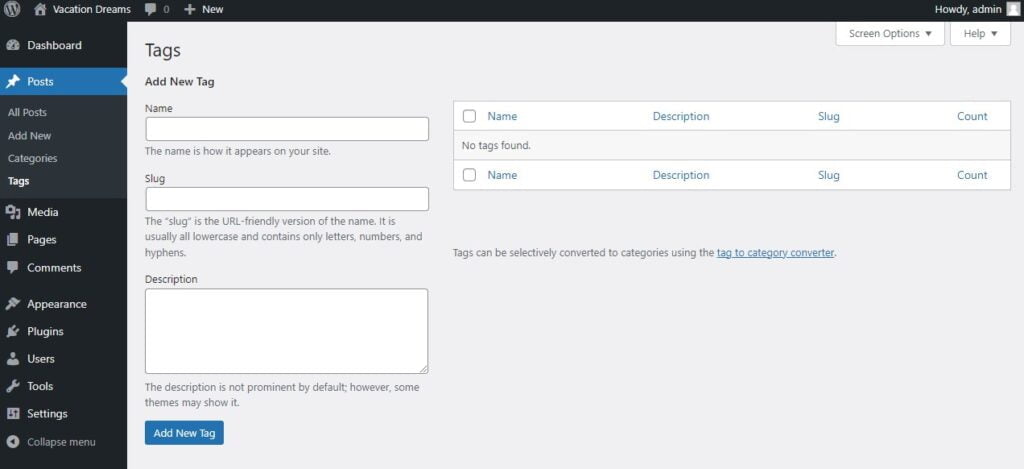
The ‘Tags’ section, like ‘Categories,’ allows you to create, edit, and delete tags. Tags are used for more specific details about your posts. They can be used to describe your post’s details and help users find more specific content.
Conclusion
The WordPress Posts Tab is a vital tool for any digital storyteller. It allows you to create, manage, and organize your posts, helping you to craft engaging narratives for your audience. With the guidance from Dark Horse Virtue, you’re well on your way to becoming a master content creator. Join us in our next guide as we continue our journey through the WordPress platform!