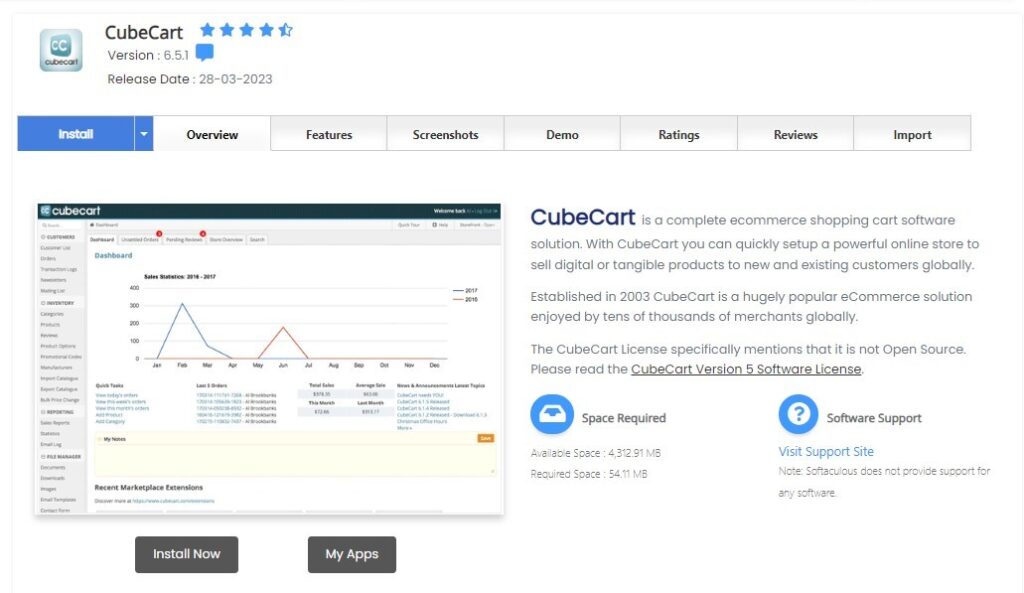
What is CubeCart?
CubeCart is a free, open-source e-commerce solution that enables businesses to set up and run their online store with ease. Whether you’re a small startup or an established business, CubeCart offers a range of features to help you sell products online effectively.
Advantages of Using CubeCart:
- User-Friendly: Offers a straightforward admin interface, making it easy even for those new to e-commerce.
- Extensible: A variety of plugins and themes are available to enhance and personalize the store.
- SEO-Friendly: Built-in features to help improve visibility on search engines.
- Flexible: Supports various payment gateways, shipping methods, and more.
Installing CubeCart Using Softaculous on Dark Horse Virtue Digital Footprint Hosting:
Step 1: Access Softaculous
- Log into your Dark Horse Virtue Digital Footprint Hosting account.
- Navigate to the ‘Software’ section or directly access ‘Softaculous Apps Installer‘ scroll menu in cPanel.
- Launch Softaculous.
Step 2: Locate CubeCart
- Use Softaculous’s search function to type “CubeCart” or find it under the “E-commerce” category.
- Click on CubeCart to navigate to its overview page.
Step 3: Initiate the Installation

- Click the ‘Install Now’ button.
- Select your desired protocol (http or https). If you have an SSL certificate for your domain, ‘https’ is advisable.
- Choose the domain or subdomain where CubeCart should be installed.
- If you’re installing on the primary domain (e.g.,
store.example.com), leave the “In Directory” field blank. - Fill in necessary store settings, such as store name, admin account details (ensure a robust password), and other relevant details.
- Once configured, click the ‘Install’ button.
Step 4: Post-Installation Actions
- After successful installation, Softaculous will show a confirmation with links to both your CubeCart storefront and its admin dashboard.
- Login to the CubeCart admin panel using the set credentials during installation. Now, you can begin customizing your store, adding products, and setting up payment gateways.
Tips for Using CubeCart:
- Extensions and Themes: Explore the CubeCart marketplace to discover themes and extensions that can enrich your online store.
- Backup Regularly: It’s crucial to back up your CubeCart store periodically to prevent data loss.
- Security: Employ best security practices, such as using SSL, ensuring strong admin credentials, and using trustworthy extensions.
- Stay Updated: Always ensure that your CubeCart installation, along with any themes or plugins, is updated for security and feature enhancements.
Conclusion:
Using Softaculous on Dark Horse Virtue Digital Footprint Hosting, deploying CubeCart becomes a walk in the park. CubeCart, with its blend of user-friendliness and power, provides businesses of all scales a platform to carve out their own niche in the vast e-commerce landscape.