Introduction
Welcome back to Dark Horse Virtue’s comprehensive WordPress guides. We’ve delved into the Dashboard, Posts, Media, Pages, Comments, and Appearance tabs. Now, it’s time to explore the Plugins Tab—an essential tool for enhancing your website’s functionality.
Understanding the WordPress Plugins Tab
The Plugins Tab is where you can manage your WordPress plugins—tools that extend and expand the functionality of your WordPress site. This tab is your control center for installing, activating, updating, and deleting plugins.

Installed Plugins
The ‘Installed Plugins’ section lists all the plugins currently installed on your website. Here, you can activate, deactivate, update, and delete plugins.

Active and Inactive Plugins
Plugins are listed as either active or inactive. Active plugins are currently in use on your site, while inactive plugins are installed but not in use. Remember, even inactive plugins can pose security risks if not kept updated, so delete any plugins you’re not using.

Add New
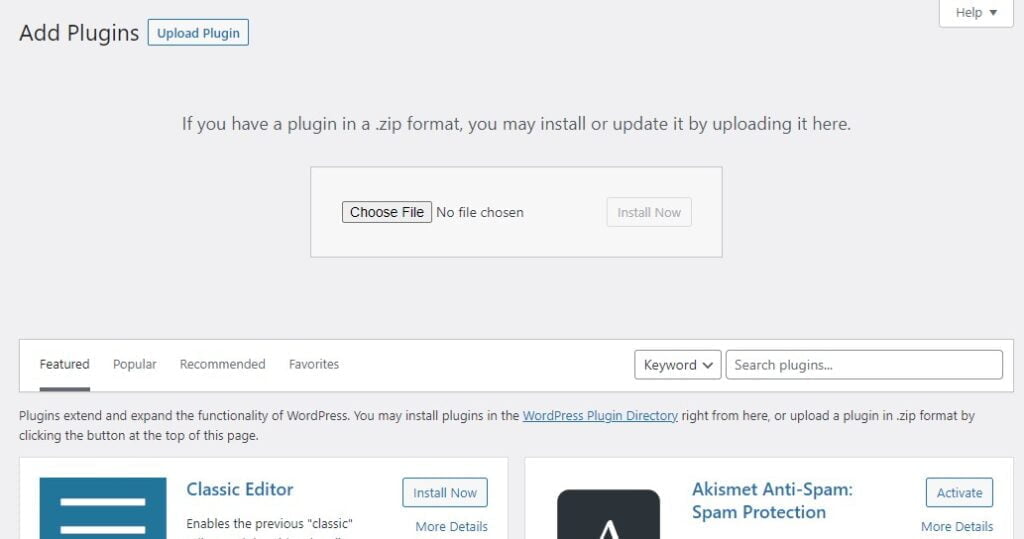
The ‘Add New’ section is where you can search for and install new plugins. You can search for plugins by keyword, author, or tag. Alternatively, you can browse featured, popular, recommended, or favorite plugins.

Plugin Details
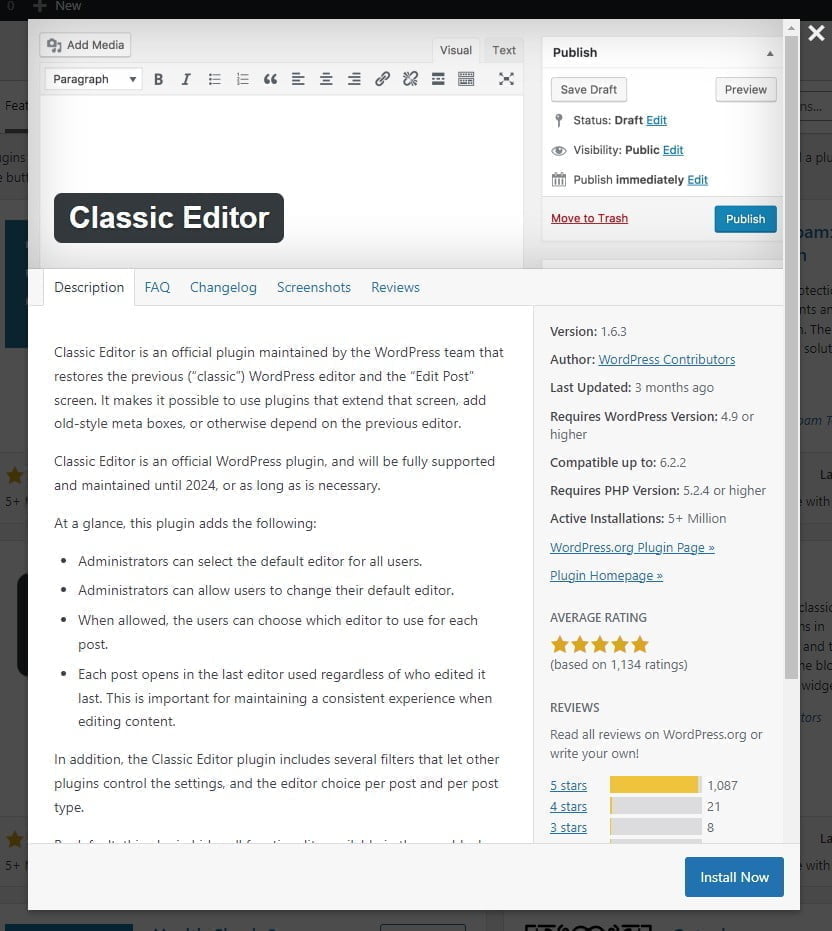
By clicking on ‘More Details’ under a plugin, you can view its full details, including its description, installation instructions, screenshots, reviews, and more.
Plugin Editor
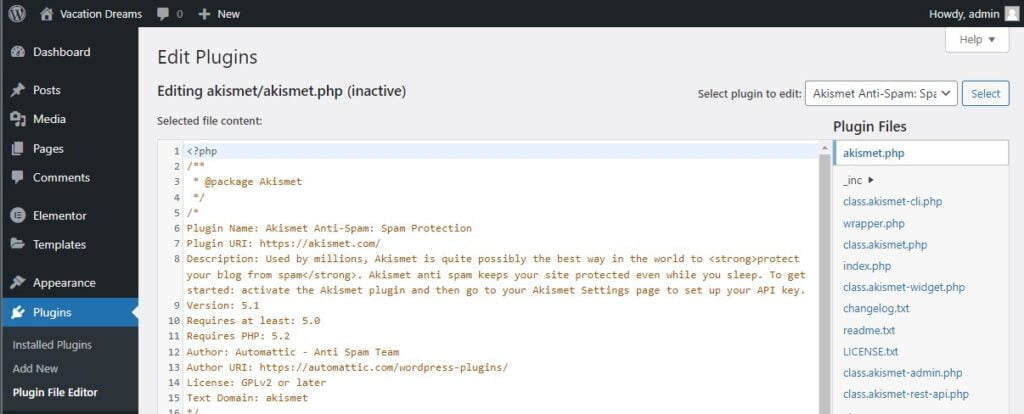
The ‘Plugin Editor’ section allows you to directly edit the files of a plugin. This area is for advanced users who are comfortable with PHP. Be careful when editing plugin files, as changes can affect how the plugin works and could potentially break your site.
Conclusion
The WordPress Plugins Tab is an essential tool for enhancing your website’s functionality. With the ability to add features and customizations beyond WordPress’s core features, the world of plugins is a vast one to explore. With Dark Horse Virtue by your side, you’re becoming a master at expanding your site’s capabilities. Join us in our next guide as we continue to explore WordPress!